Pick your first automation
Where the "4 / 6 / Infinity" tier limits get explained — and where Alfred starts working for you.
- 1
What automations are
An automation is a pre-built marketing play — a welcome sequence, a win-back campaign, a review request after a visit. Alfred writes every email, picks the timing, and targets the right contacts. You just turn it on and approve the messages.
- 2
Browse the catalog
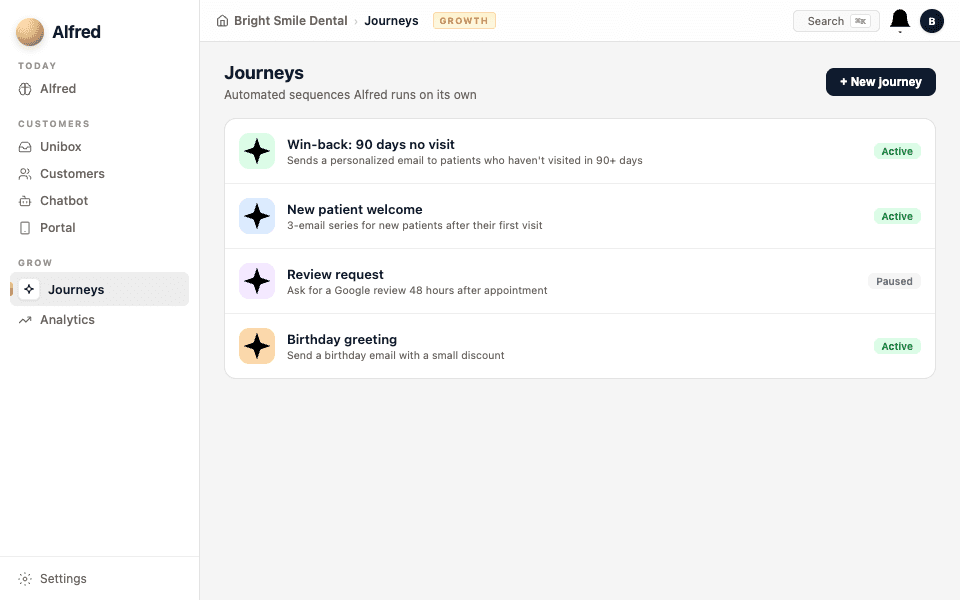
Go to Automations in the sidebar. You'll see the full catalog of available plays, organized by what they do: welcome new contacts, re-engage lapsed ones, ask for reviews, send reminders, and more. Every paid plan includes every automation in the catalog.
- 3
Understand your limits
Each plan has a limit on how many automations can be active at once — not how many you can browse or set up:
- Essential: 4 active automations
- Growth: 6 active automations
- Pro: Infinity active automations
You can deactivate one and activate another at any time — the limit is on what's running, not what's available.
Start with one automation, see results, then add more. Quality over quantity.
- 4
Activate your first one
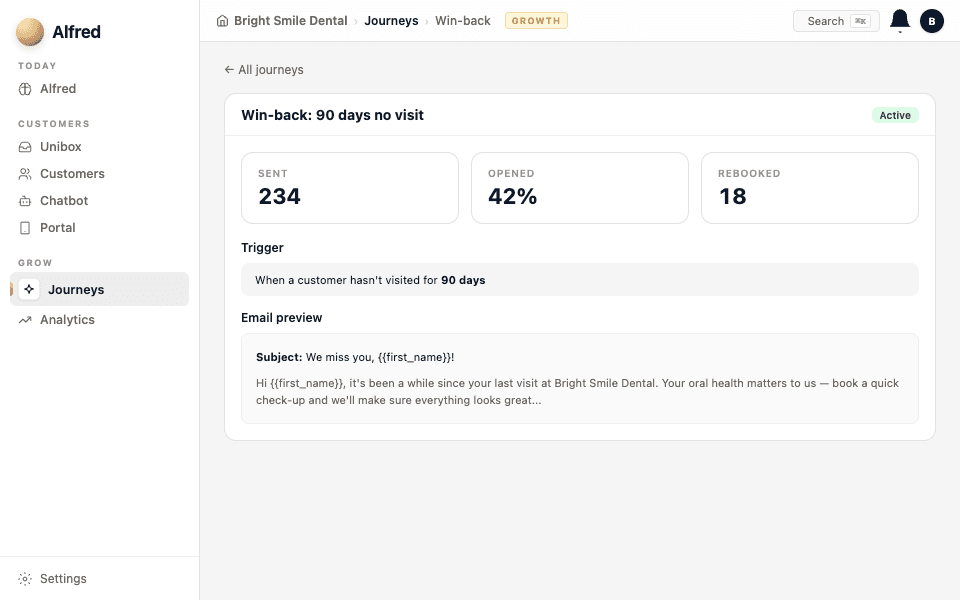
Click on an automation to see what it does, who it targets, and the email sequence Alfred will write. When you're ready, click Activate. Alfred immediately starts evaluating your contacts against the automation's rules.
- 5
Approval-first by default
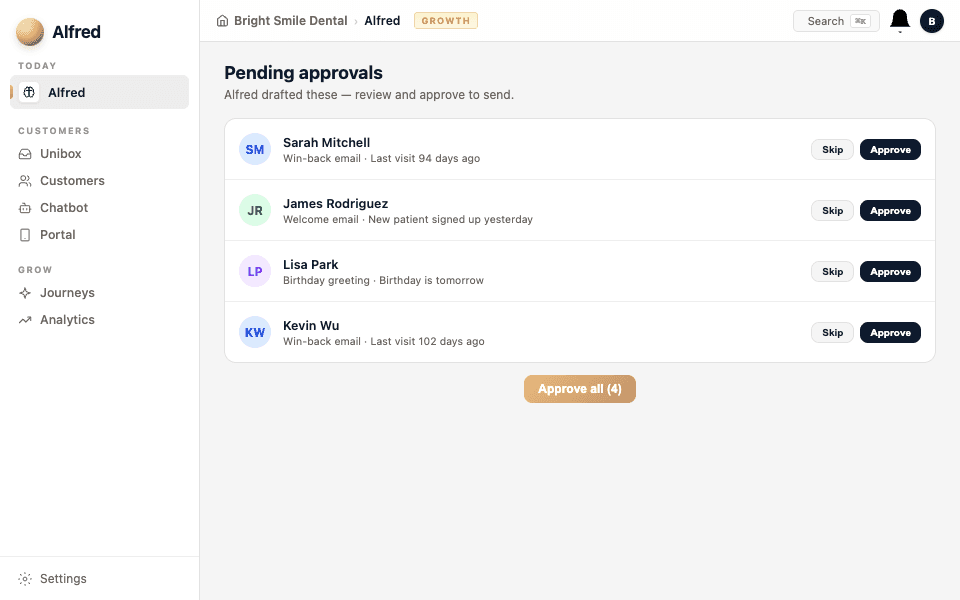
Nothing sends automatically. When Alfred finds a contact who matches the automation's criteria, he drafts the message and queues it for your approval. You read it, edit if you want, and approve. Only then does it go out.
Once you trust an automation's emails, you can switch it to autonomous mode — Alfred sends without waiting for approval. You can switch back any time.