
Lead scoring & segments
Turns your contact list from a flat spreadsheet into intelligence Alfred acts on.
- 1
What lead scoring does
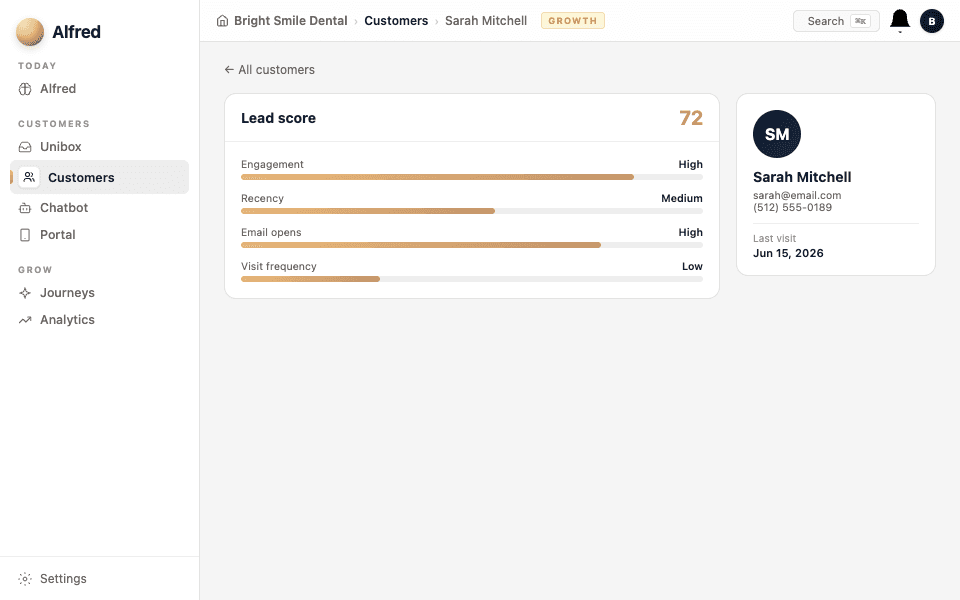
Every contact gets a score from 0–100 based on their activity — did they open emails, click links, reply, book, visit your portal? The score updates automatically. High-score contacts are your warmest leads; low-score contacts might need a win-back.
- 2
How scores are calculated
Alfred tracks real engagement signals:
- Email opens and clicks — are they reading what you send?
- Chat conversations — did they reach out?
- Portal visits — are they coming back?
- Bookings and replies — the strongest buy signals.
Recent activity counts more than old activity, so scores reflect who's engaged NOW, not who was engaged six months ago.
- 3
See your segments
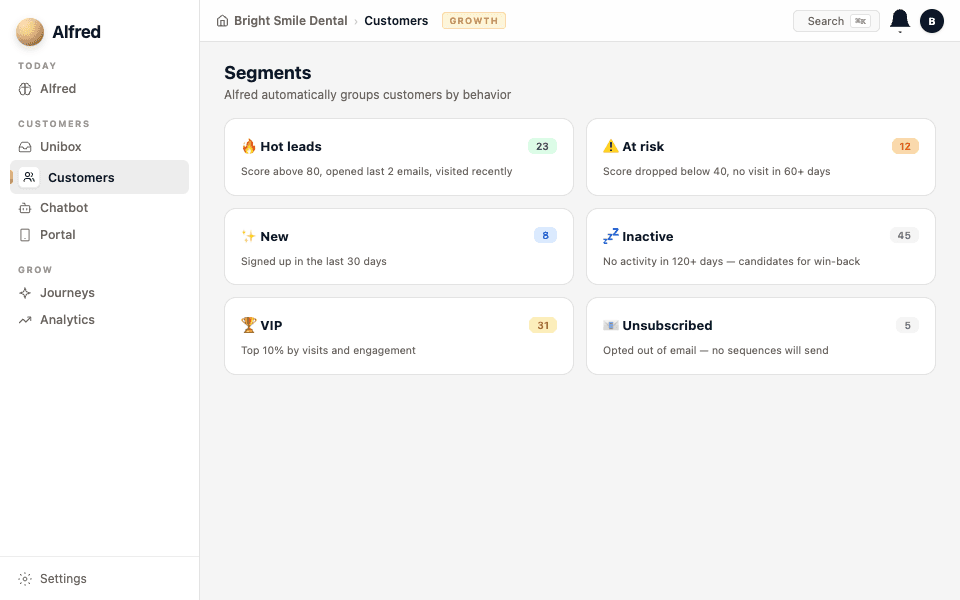
Go to Contacts and you'll see Alfred has grouped everyone into segments based on their score and behavior — new leads, engaged contacts, at-risk (going quiet), and lapsed. These segments are what automations target.
- 4
How automations use scores
You don't have to build rules manually. When you activate a "Win-back lapsed clients" automation, Alfred already knows who's lapsed — the scoring handles the targeting. A "Nurture warm leads" journey targets the high-score contacts who haven't booked yet.
Check your segments weekly. If "at-risk" is growing, you might need a re-engagement automation. If "new leads" is growing but "engaged" isn't, your welcome sequence might need tuning.