
How credits work
Prevents billing surprises — which prevents tickets and churn.
- 1
What credits are
Credits are how Alfred measures AI usage — every time the reply agent answers a chat, drafts an email, or scores a contact, it uses a small amount of AI processing. Your plan includes a monthly credit allowance, and usage resets each billing cycle.
- 2
What costs credits
Chat replies — each AI-generated reply to a website visitor. Email drafts — each email Alfred writes for a journey. Contact scoring — the AI analysis that assigns lead scores.
Simple operations like importing contacts, viewing your dashboard, or editing a draft don't cost credits.
- 3
Check your usage
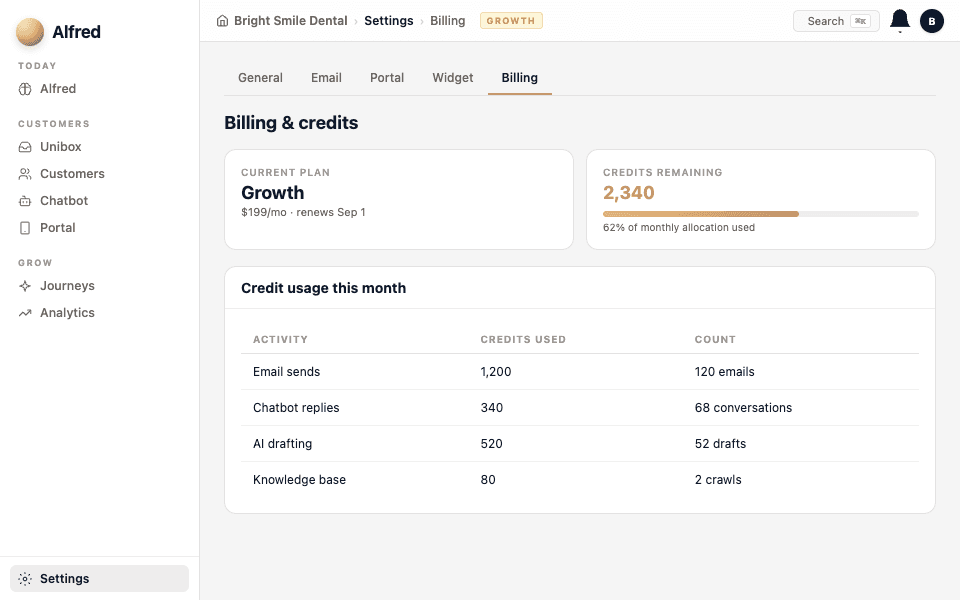
Go to Settings → Billing to see your current credit usage, how much of your allowance is left, and when it resets. Alfred also warns you when you're approaching your limit.
- 4
What happens at the limit
If you run out of credits mid-cycle, Alfred pauses AI-generated content — chat replies fall back to a simple "leave your details" message, and journey emails wait until the next cycle or until you top up. Your contacts, portal, and existing data are never affected.
If you consistently hit your limit, it means Alfred is working hard for you — that's a good signal to consider the next tier.